Inference Router
I designed the feature that led DigitalOcean's Deploy 2026 keynote. The Inference Router was demoed live on stage as the flagship capability of Inference Hub's Public Preview, and the Playground patterns I built were forked into the Gen AI Tool Catalog before launch. When the same UX shell serves two different product areas without modification, the design was right.
I designed the end-to-end product experience: a four-tab IA, a hero-led Getting Started catalog, lifecycle management in My Routers, a dual-pane Playground for side-by-side comparison with routing metadata, and an Analyze tab for operational insight.
February through April 2026 as part of Inference Hub's Public Preview, with iterative design and build sessions that hardened naming (preset routers), comparison affordances, sub-cent cost display, documentation patterns, and a downstream reuse in the Gen AI Tool Catalog Playground.
The Inference Router was the centerpiece of DigitalOcean's Deploy 2026 keynote, demoed live on stage as the flagship capability of Inference Hub's Public Preview launch.
One model for everything is an overkill. Route your requests to the right model.
Inference Hub already exposed a model catalog and standalone Model Playground. What was missing was a routing layer that developers could configure, test, and trust. Without router-specific UX, teams either hardcoded one model ID or built custom routing logic outside the platform, neither observable nor aligned with DigitalOcean's benchmarking and policy primitives.
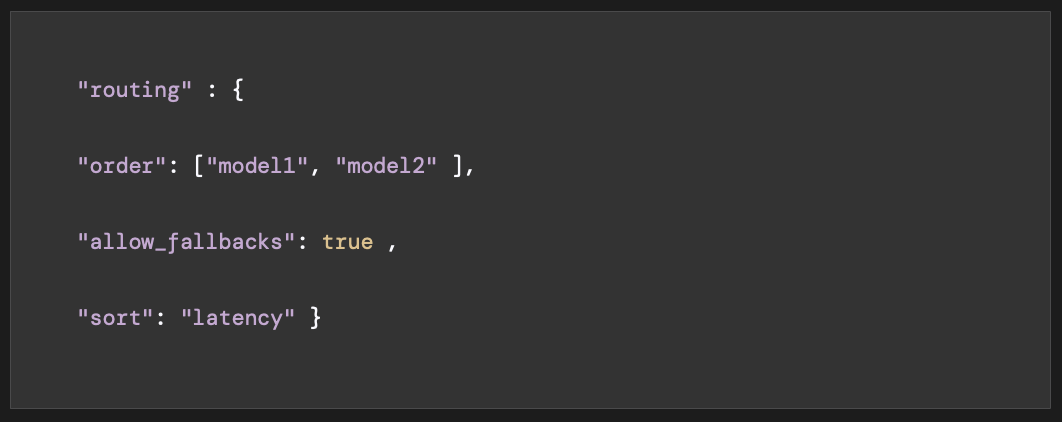 What design inherited — a technically complete routing spec with no user experience attached to it
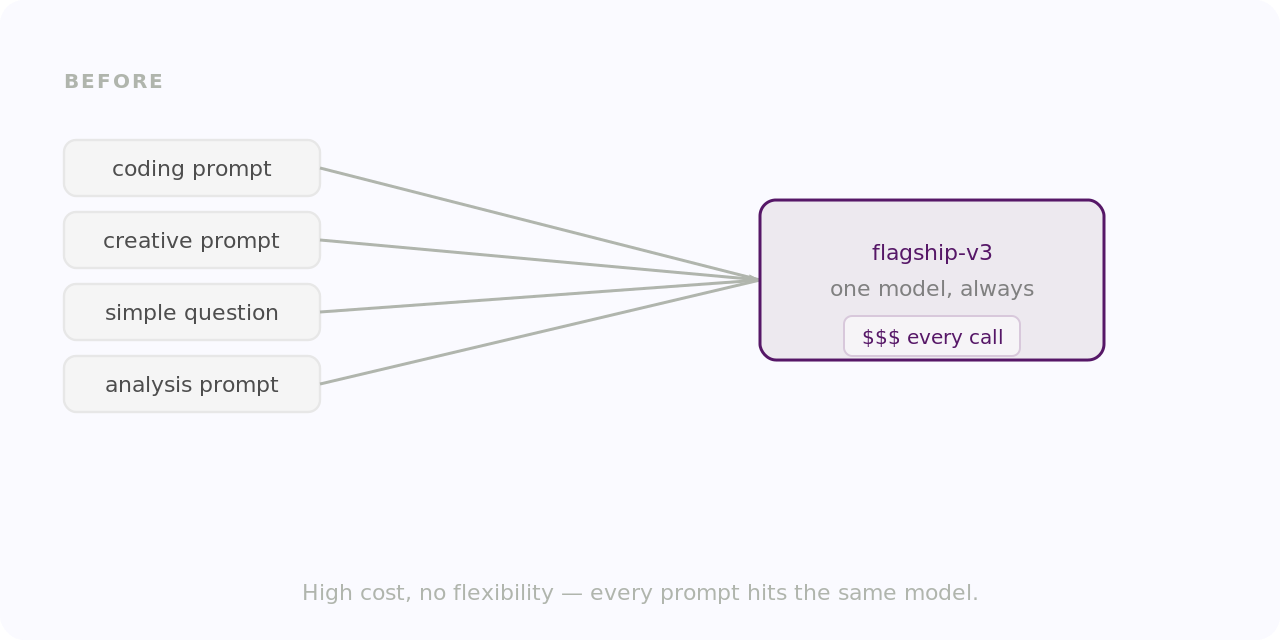 Before — every prompt routes to one flagship model regardless of task
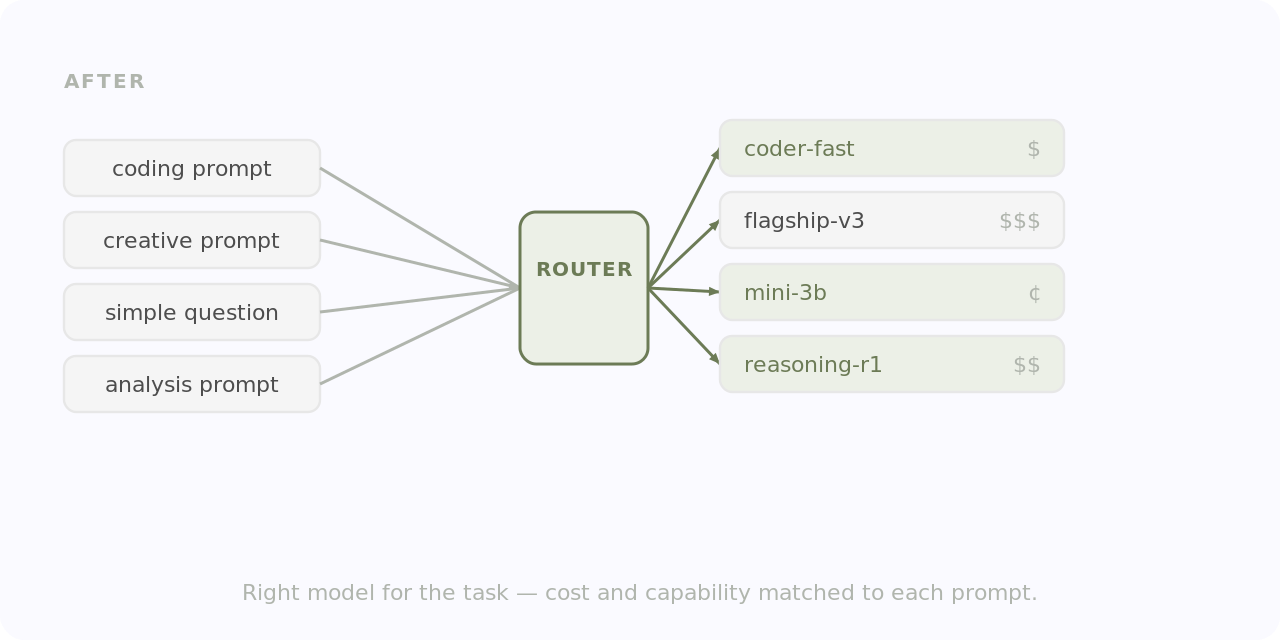 After — the router evaluates each request and sends it to the right model
The people feeling this most directly were platform engineers integrating Inference Hub into production apps, ML leads defining task boundaries and model pools, and developers who needed to justify a router over a single model with real cost and latency evidence. Post-launch, operators needed to see match rates, fallbacks, and token usage without digging through logs.
The core tension: routing is intelligent only if users can see the intelligence working, in the Playground before launch and in Analyze after.
That tension shaped the whole product. Every major problem had a specific design response: model sprawl got preset routers with benchmark-backed copy; opaque routing got ResponseInfo in the Playground; sub-cent cost differences got threshold-based decimal formatting; configuration complexity got an accordion task picker with inline docs; distrust of "defaults" got a rename to "preset" with documented hybrid evaluation methodology.
Inference Router shipped as a four-tab product: Getting Started, My Routers, Playground, and Analyze. The tab order maps to how a developer actually adopts a new platform capability — first you learn, then you configure, then you test, then you operate.
Getting Started
The Getting Started hero leads with the product's argument, not its features. The headline meets developers in the framing they already use, cost and reliability, before introducing any new concepts. I positioned the docs link and Public Preview terms adjacent to the hero, visible without blocking the primary scan path. Two pathway cards bridge users to Preset Routers and the Playground, each with a single CTA. The goal was avoiding a dead end on the catalog page. The preset section was renamed from "default": "default" implied system-imposed immutability, "preset" signals curated and overridable. That change rippled across the UI, docs, and marketing copy.
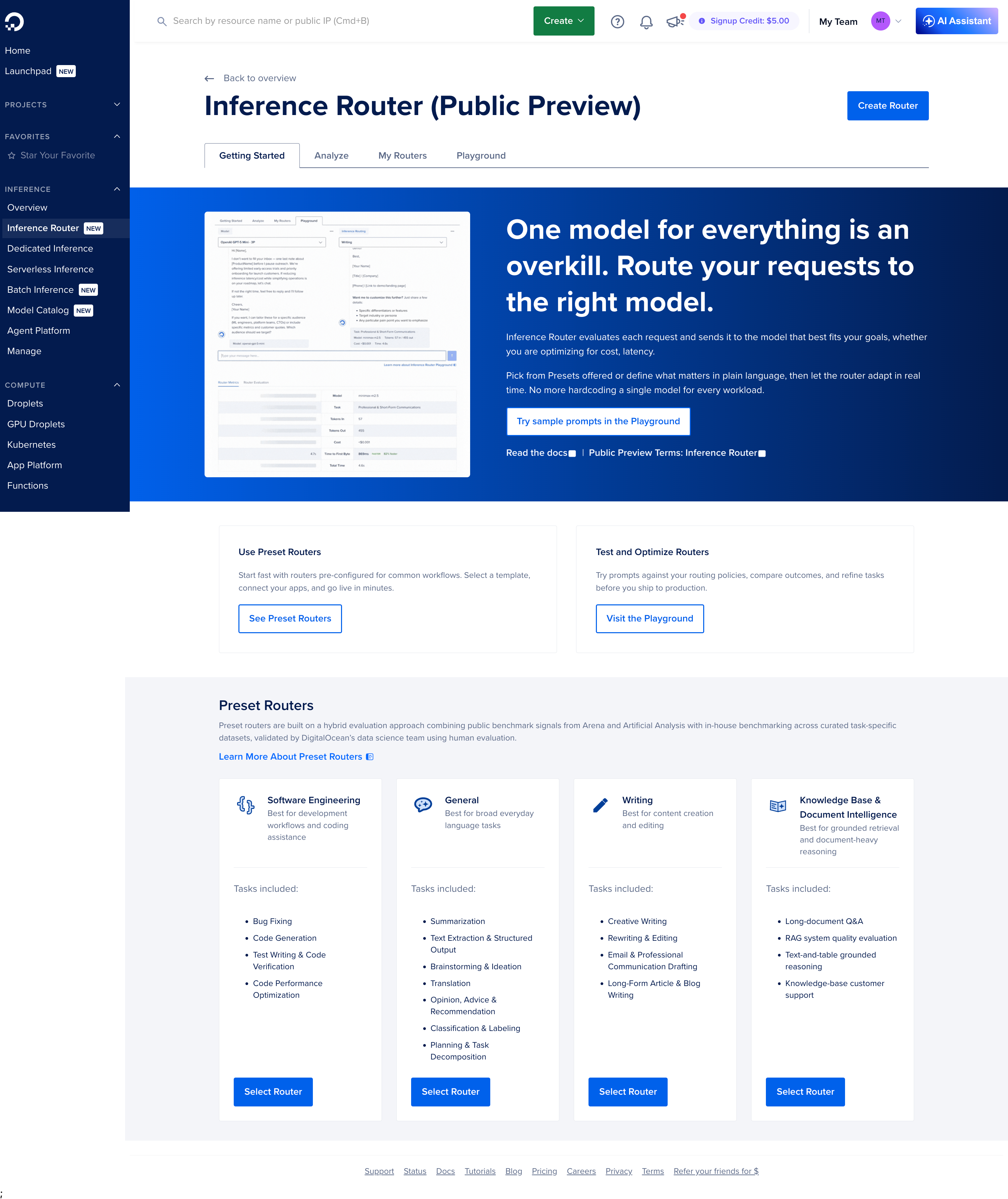 Getting Started — plain-language headline, preset pathways, and Public Preview terms without blocking the scan path
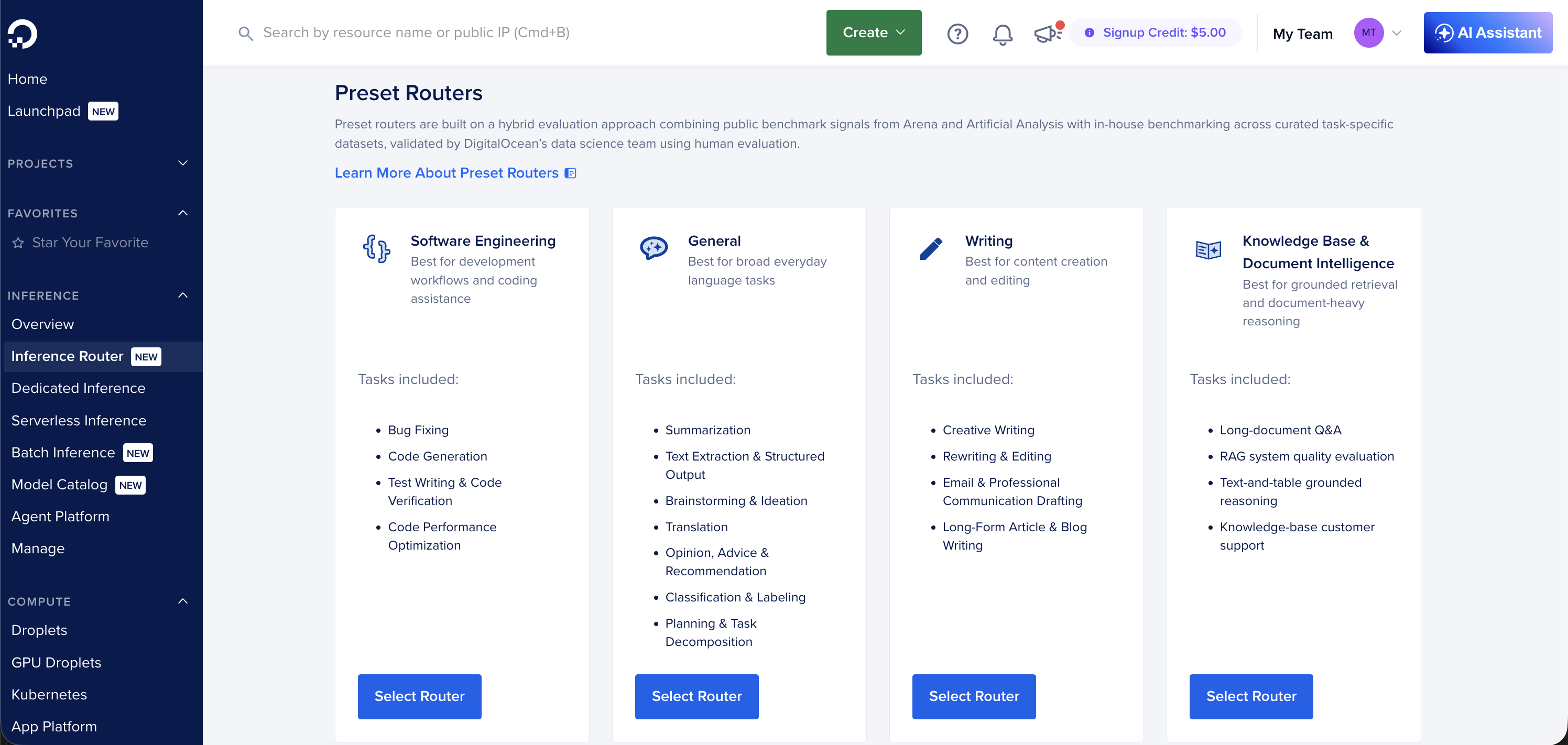 Preset routers — curated, benchmark-backed starting points. "Preset" over "default" communicates a starting point, not a system-imposed setting.
The rename from "default" to "preset" sounds small but had a long tail. "Default" read as system-imposed and unchangeable. "Preset" communicated a curated starting point. It required updates across the UI, docs copy, and marketing before launch.
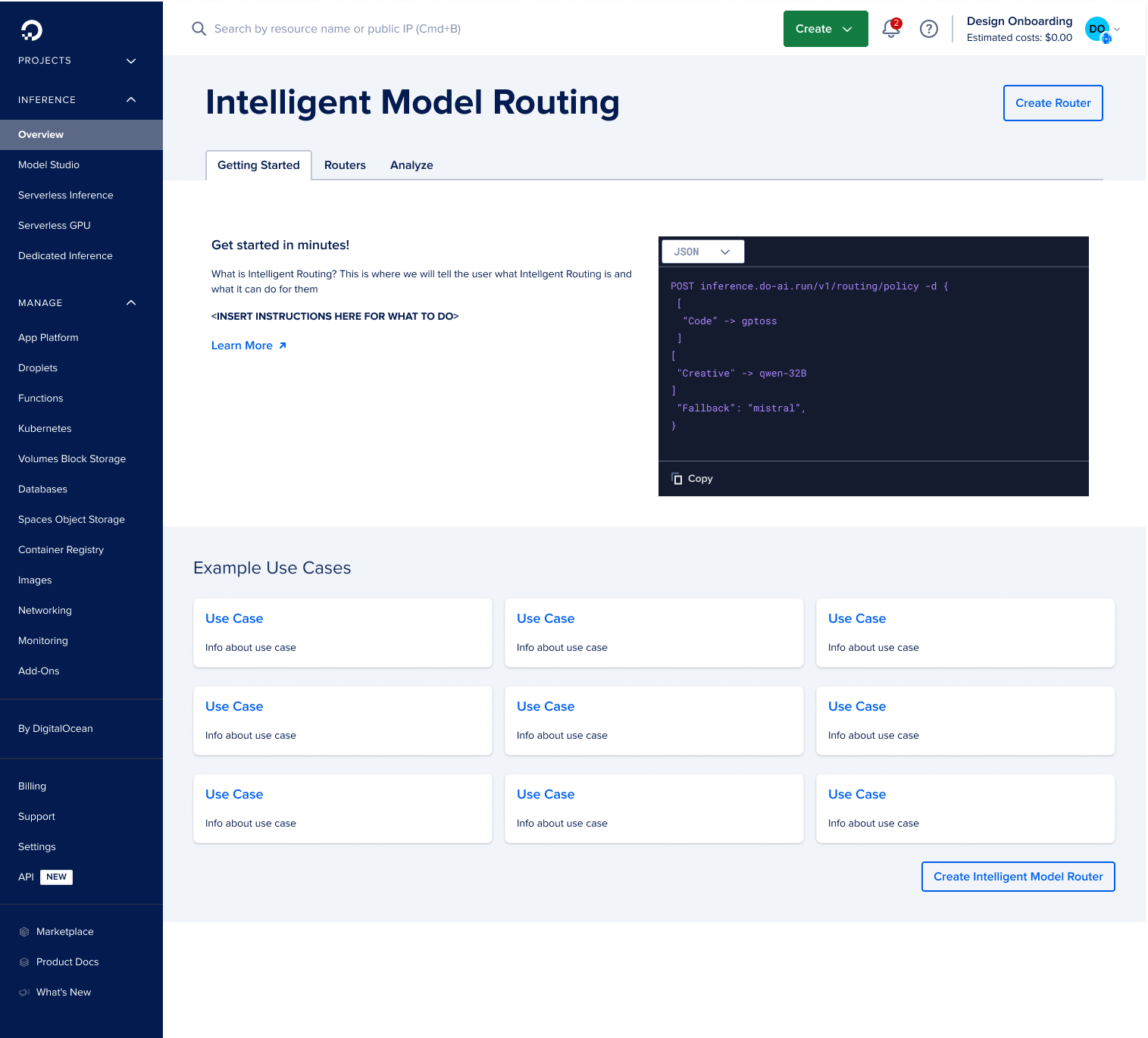 Earlier iteration — Getting Started before the hero and pathway structure were finalized
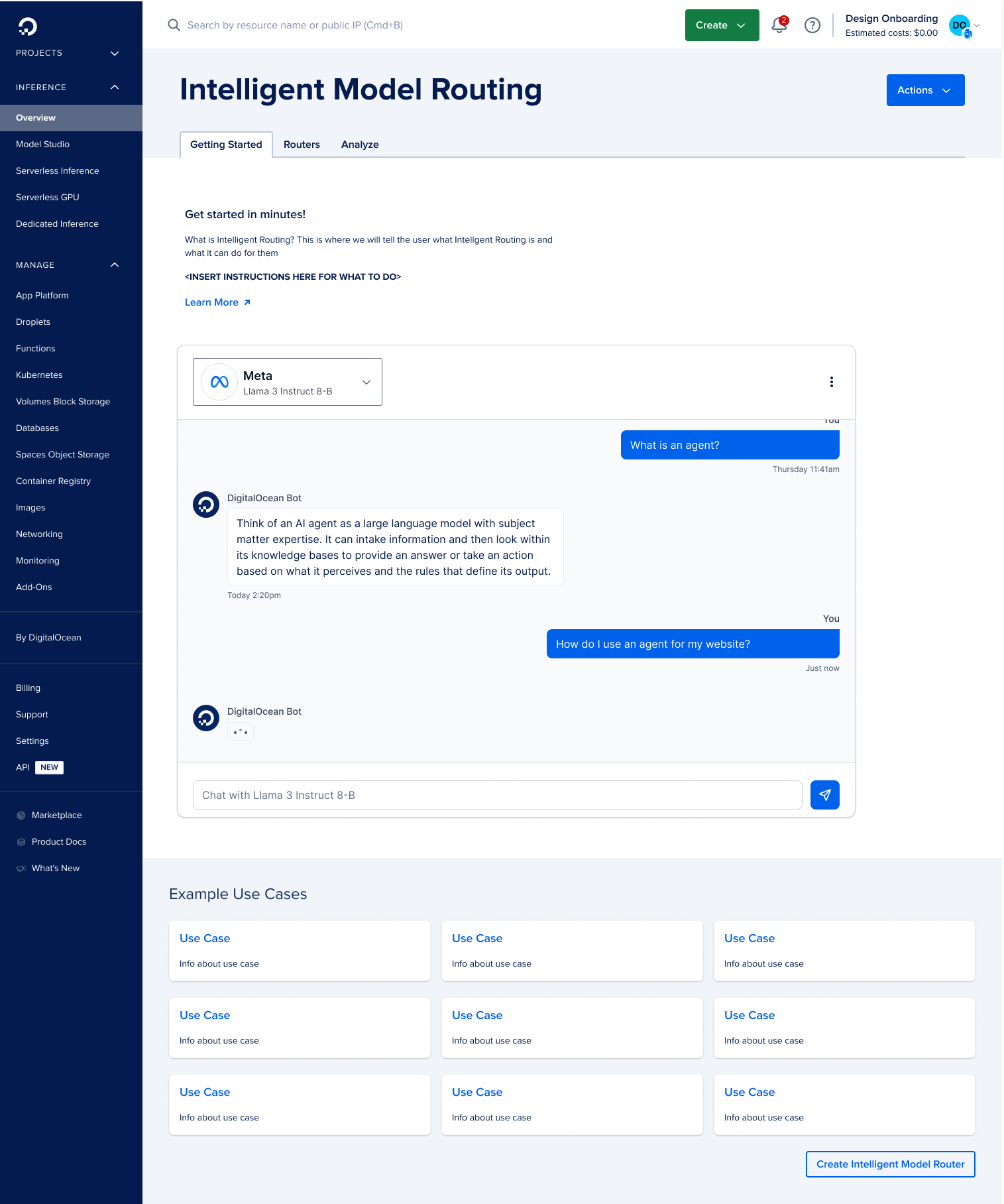 Another pass — entry points and CTA structure still being worked out
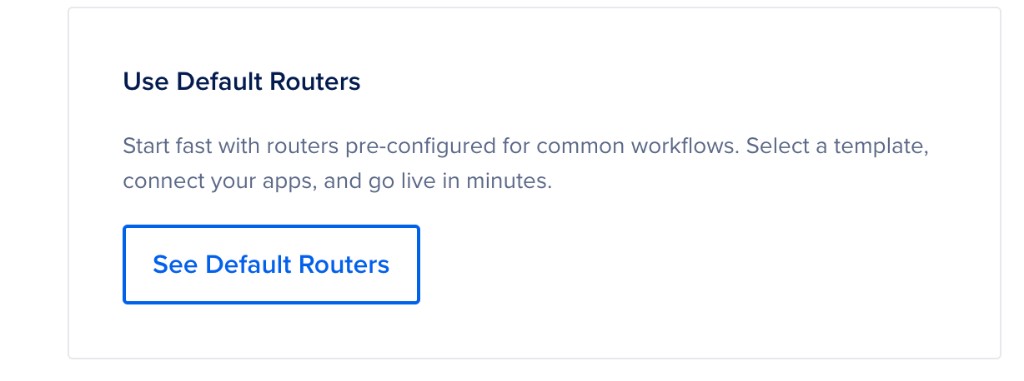 Before the rename — "default routers" still in place. Feedback made clear users read "default" as immutable and system-imposed.
My Routers
The inventory needed to be scannable and make the create path obvious. Create Router lives in the page header so it's always visible, not buried in a hero. The page title matches the tab label for consistent wayfinding. Creating a router is staged to match backend concepts: router, then tasks, then models, then fallbacks. Preset tasks use an accordion and checkbox picker so task lists can grow without becoming a flat wall of options. Each task supports up to five models and a policy choice (Optimal, Cost, Speed, or Manual Ranking for custom tasks). A five-model cap prevents unbounded pools that would break policy semantics. "Learn more" links open iframe slideouts anchored to docs.digitalocean.com, keeping users in Model Studio during first-time setup.
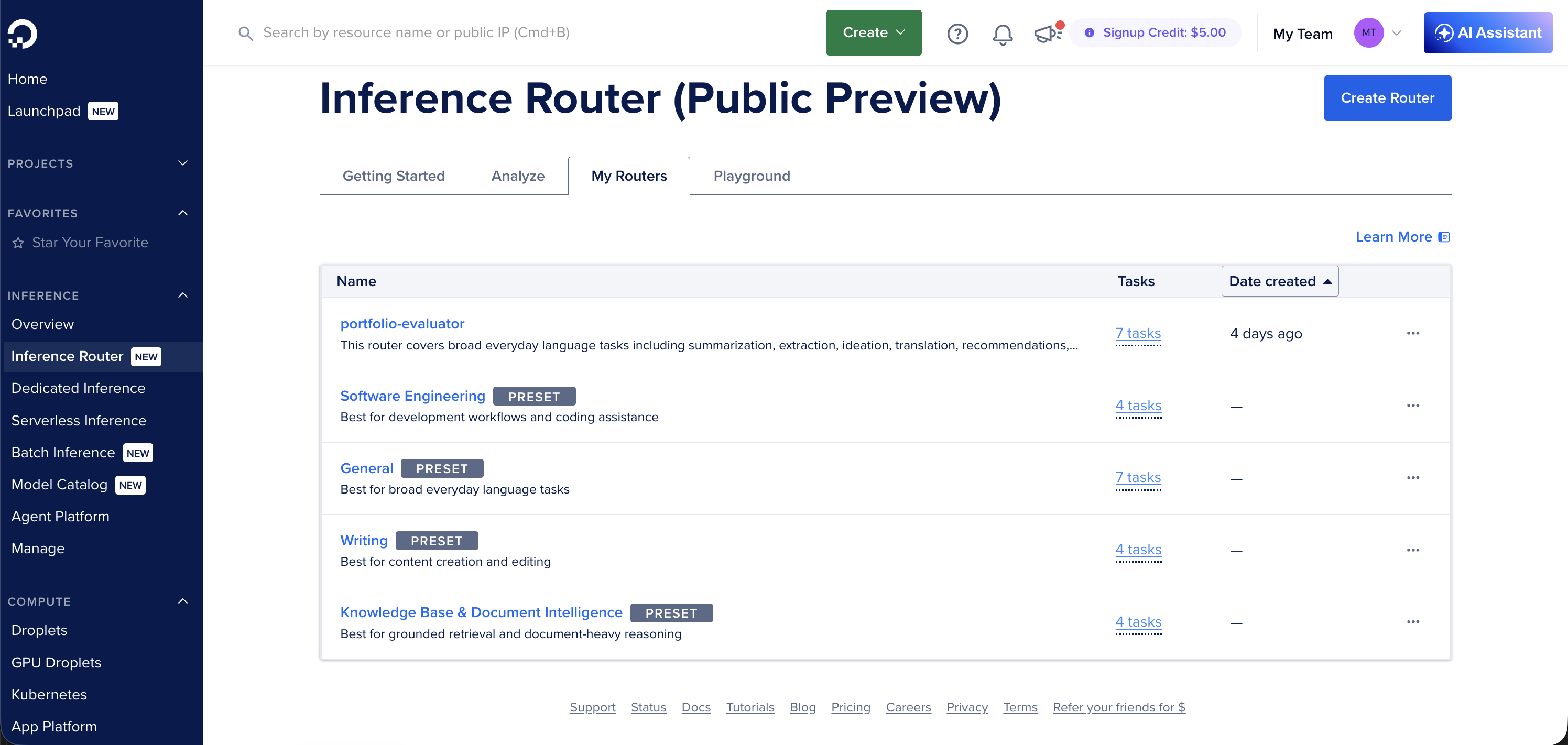 My Routers — scannable list, row actions, and Create Router always visible in the header
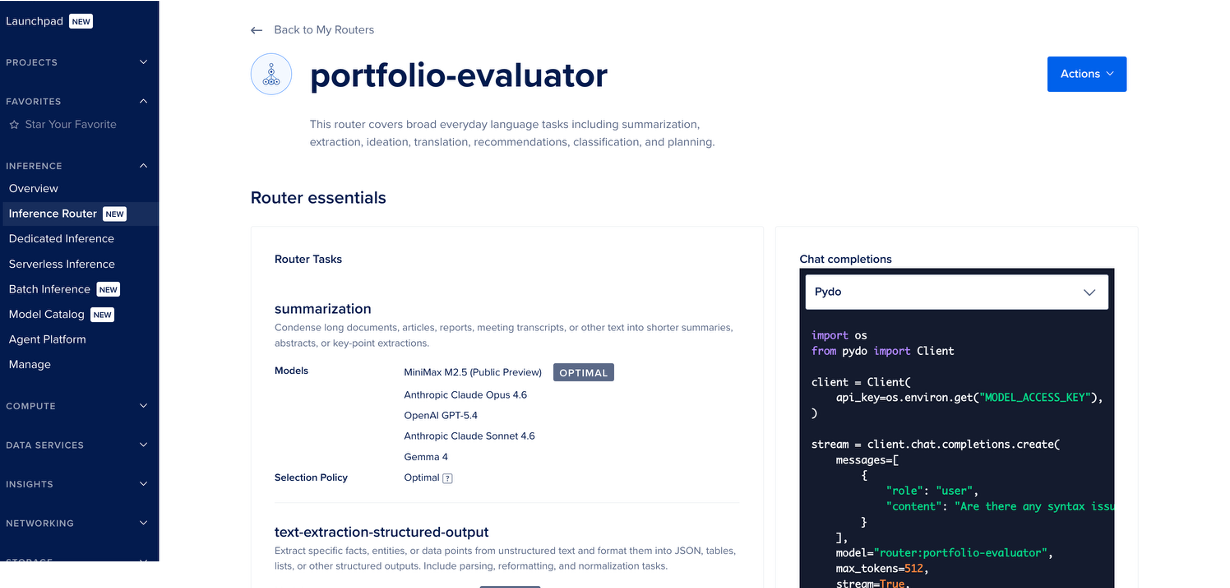 Router detail — task list, model pool, and API snippet all in one view
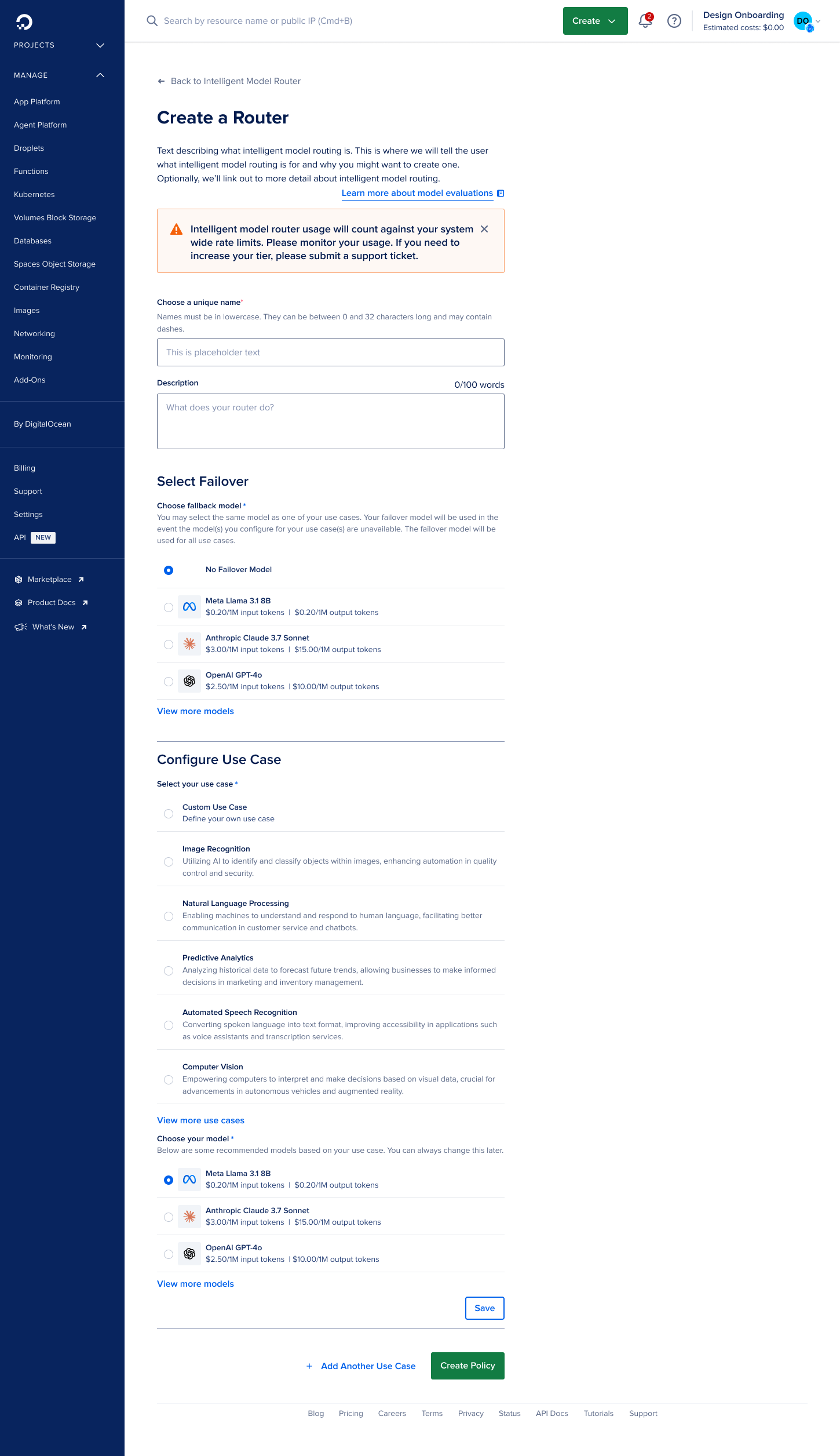
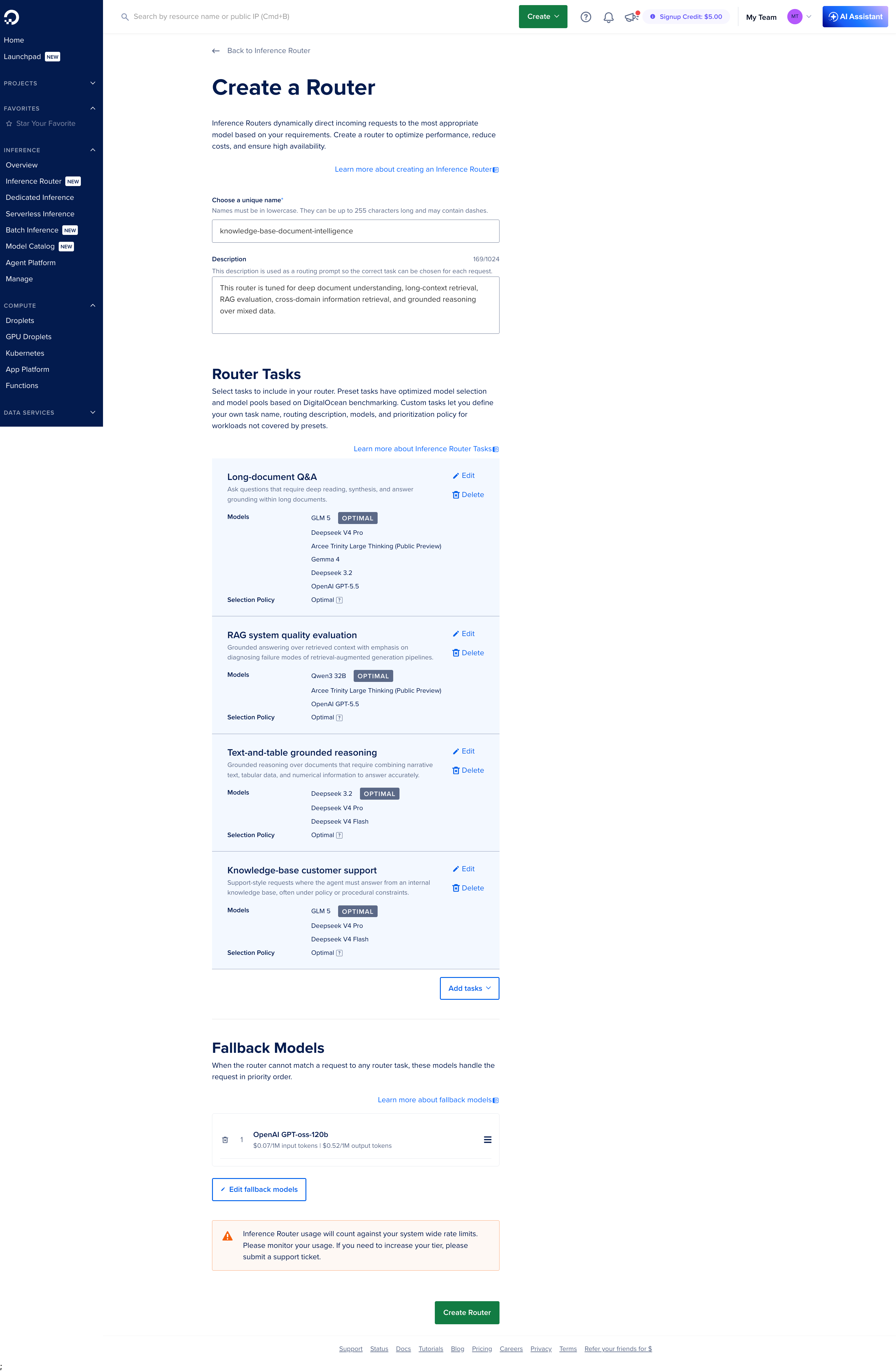 Create Router — description doubles as a routing prompt; tasks and fallbacks configured in staged modals
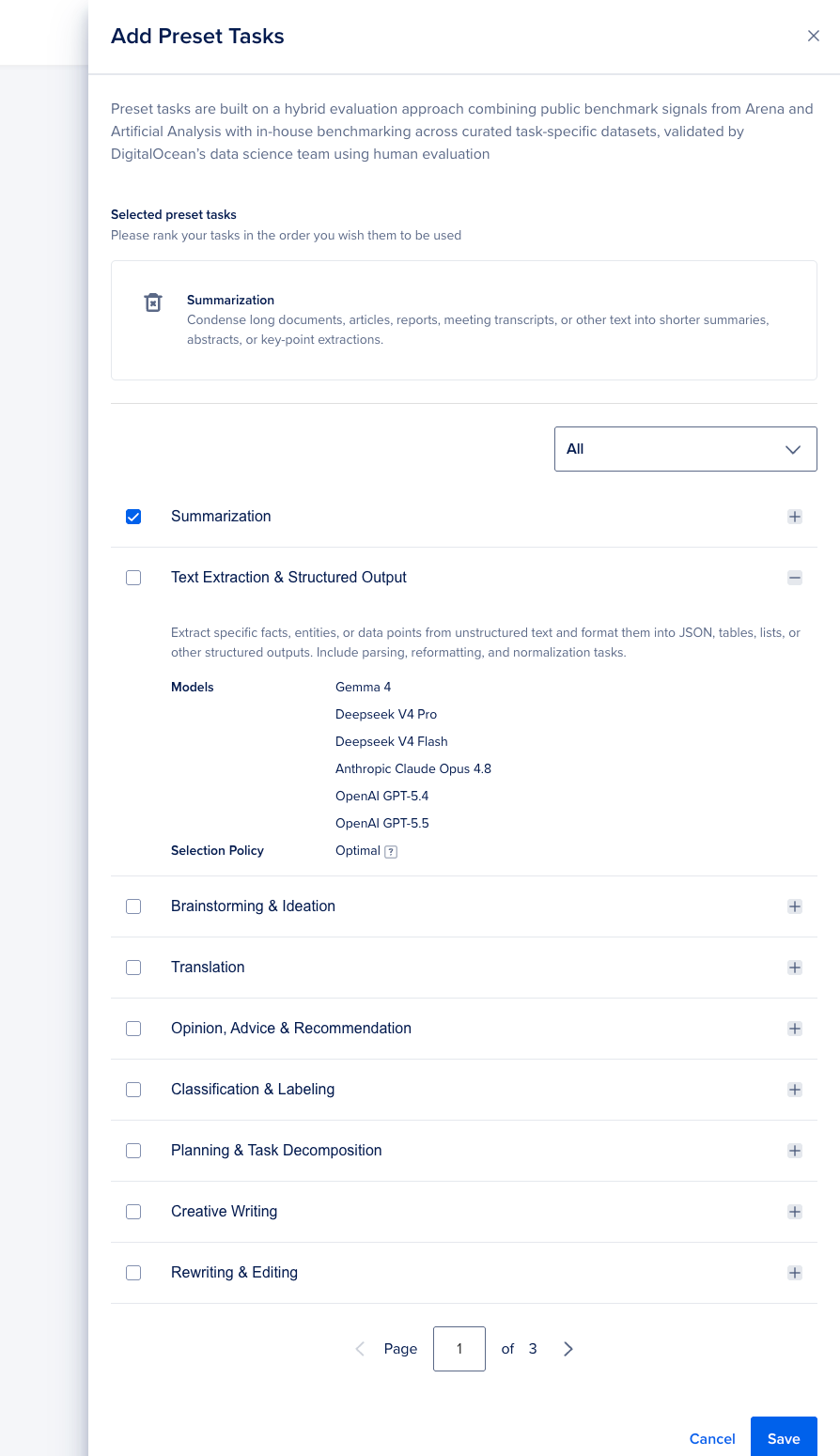 Add Preset Tasks — accordion + checkbox scales to many task categories; reused later in the Gen AI Tool Catalog
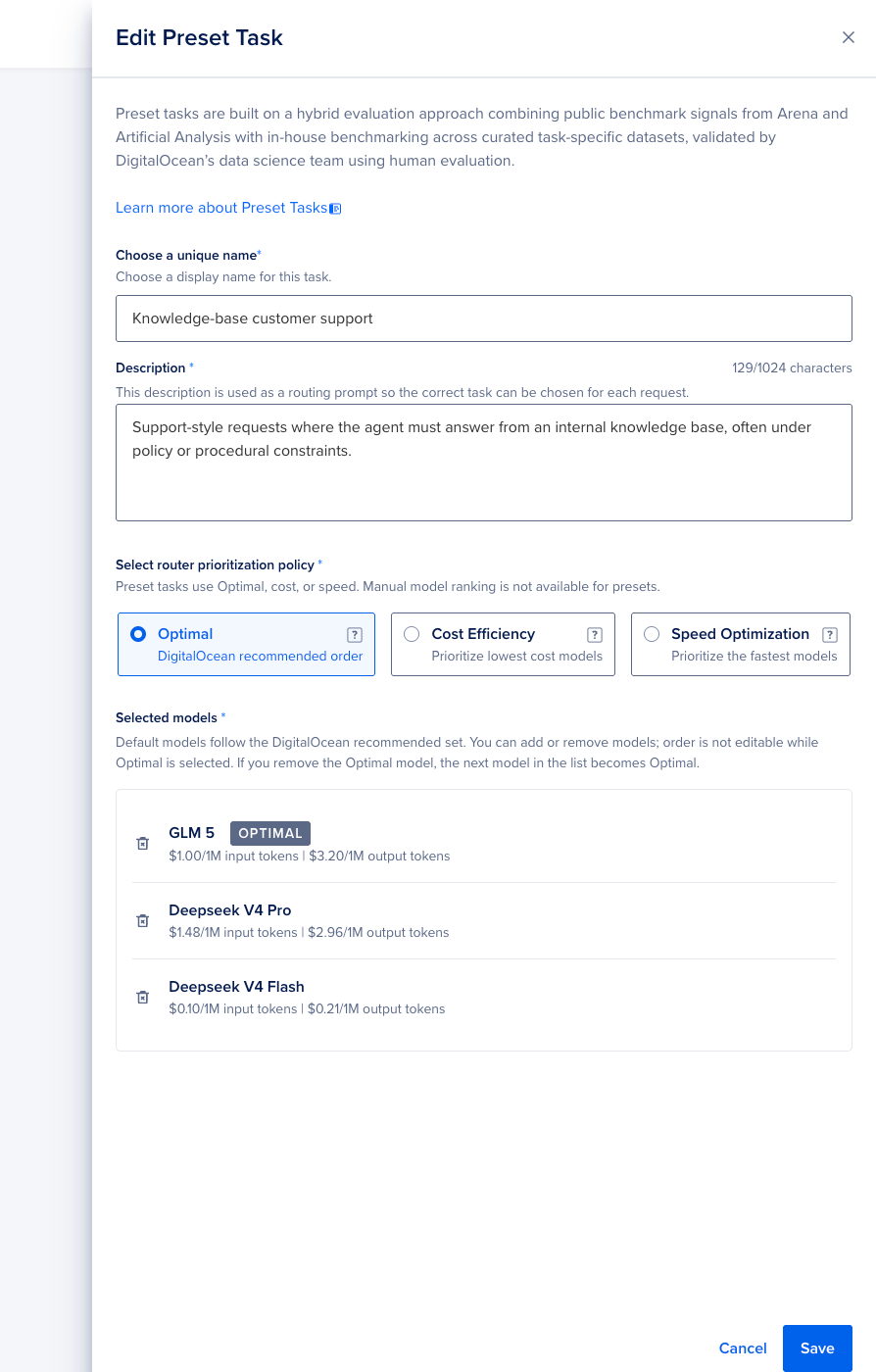 Edit Preset Task — policy selection, model pool with per-model pricing, Optimal badge
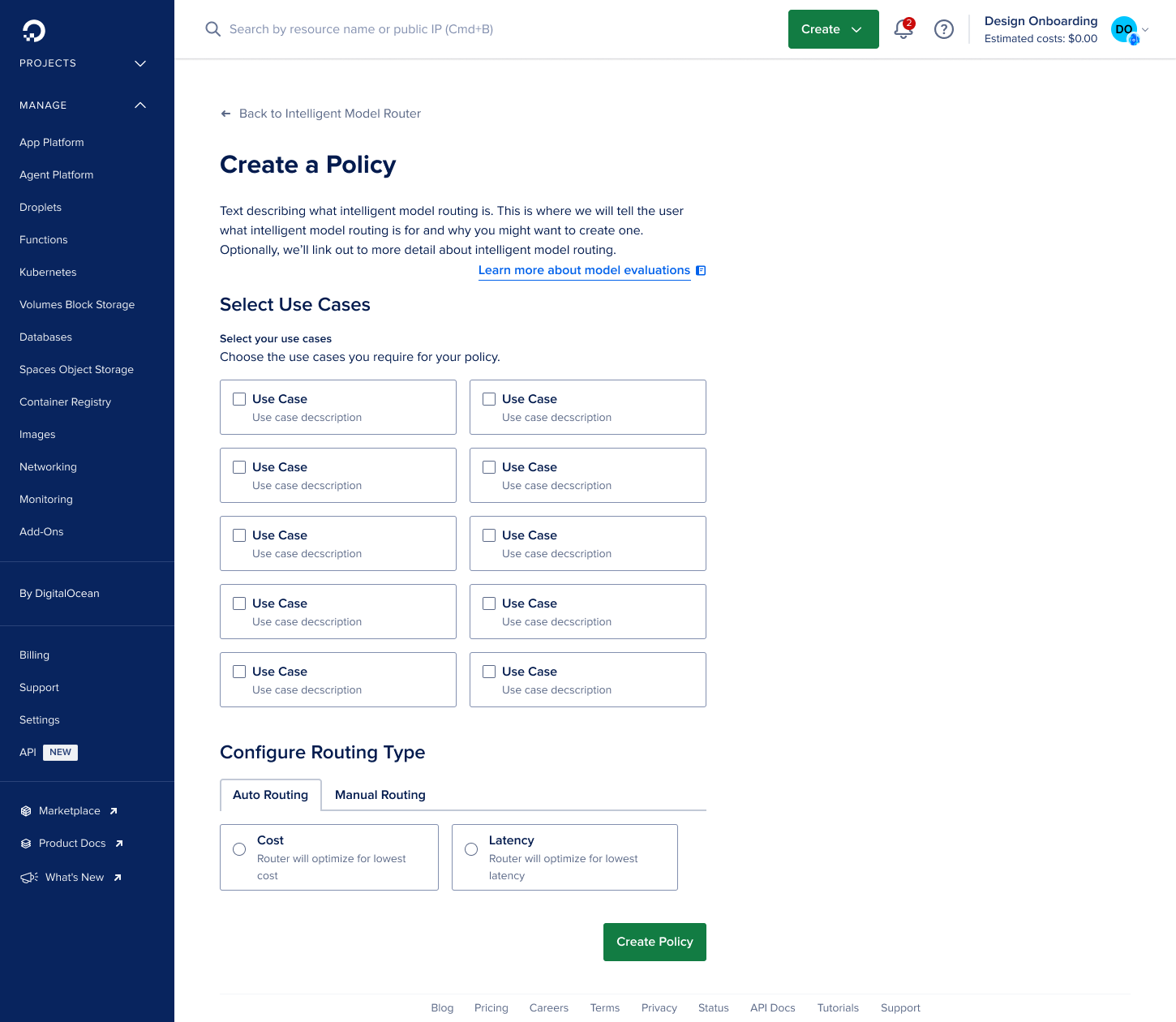 Earlier Create Router iteration — task and policy structure before the final layout was locked
 Manual Ranking — available for custom tasks when teams want a deterministic priority order instead of delegating to the policy engine
Playground
The Playground is where routing becomes concrete. Symmetric panes make for a fair A/B. Either side can be a router or a model. Selector labels ("Inference Routing" vs. "Model") prevent users from accidentally comparing two models when they mean to compare routing against a baseline. ResponseInfo surfaces task match, model selected, cost, and latency per turn. Cost display uses threshold logic: values above $0.001 and below $0.01 show three decimal places. At two decimals, sub-cent costs display as $0.00, which makes routing look free when it isn't and breaks cost-led evaluations. Writing Preset surfaces sample prompt bubbles only when a Writing Preset router is selected. It reduces the friction of inventing realistic test scenarios from scratch and was one of the more deliberate conditional UI decisions in the project.
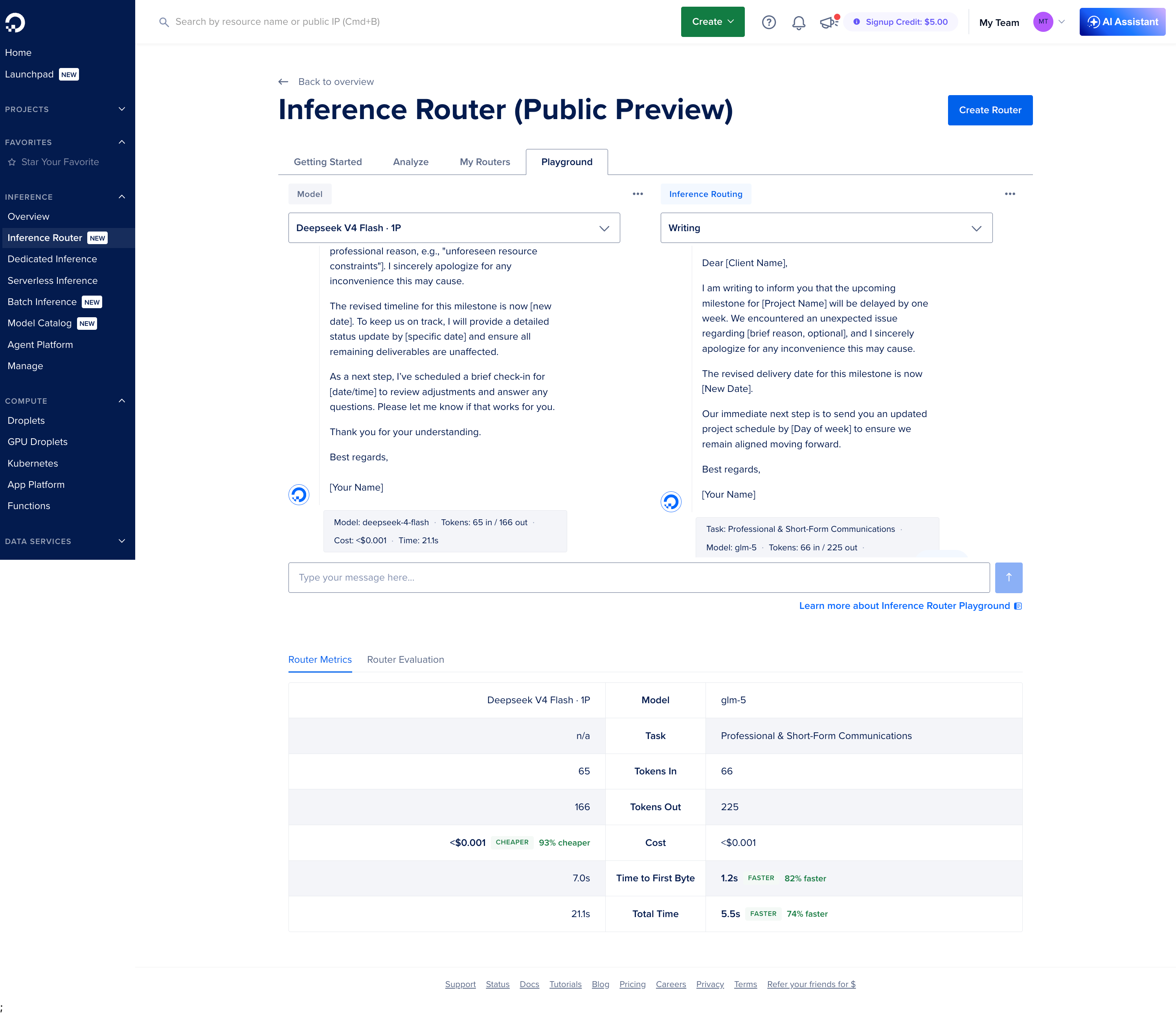 Playground — routing decisions made visible: task match, model selected, cost, and latency side by side with the qualitative response
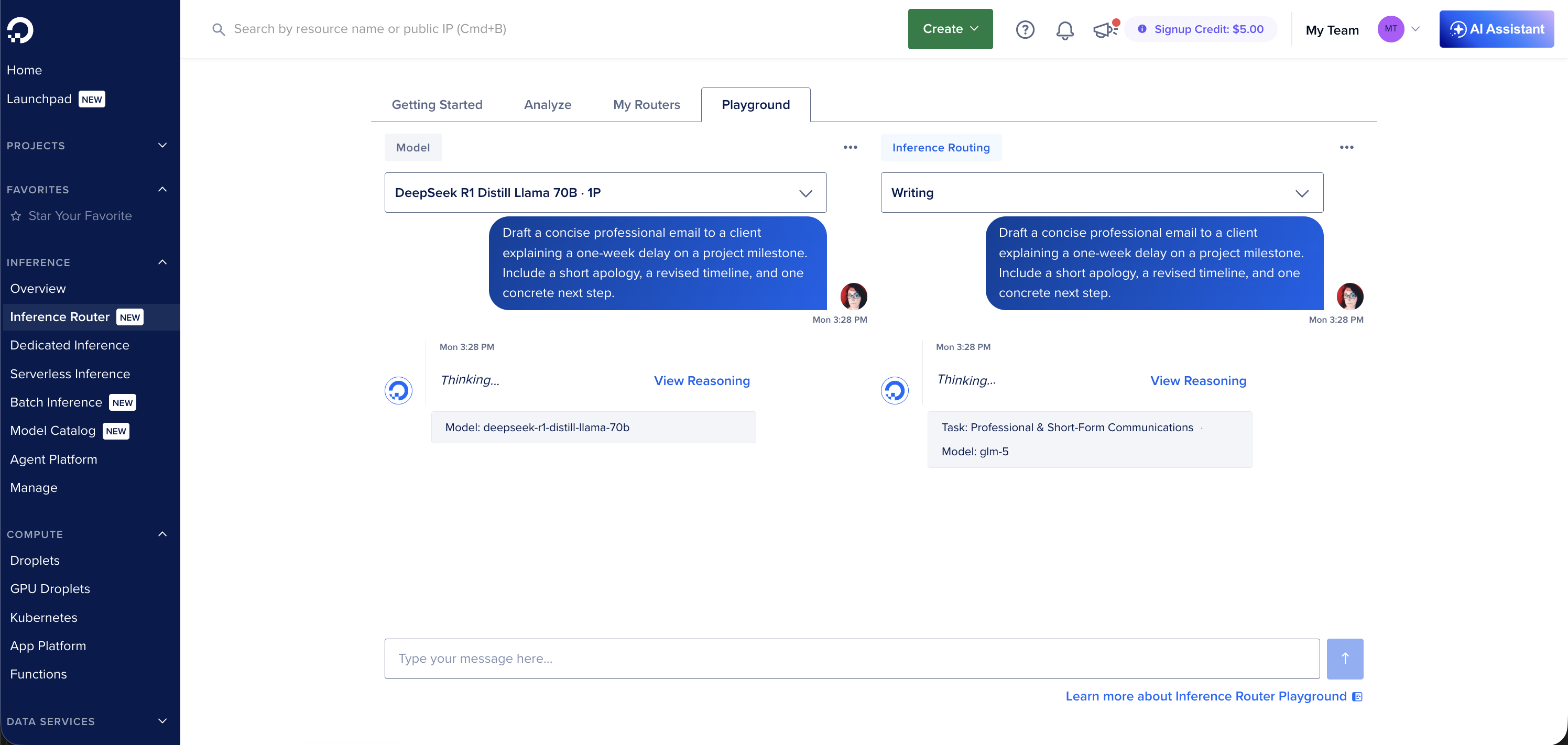 Dual pane — either side can be a router or a model; symmetric layout prevents implied A/B bias
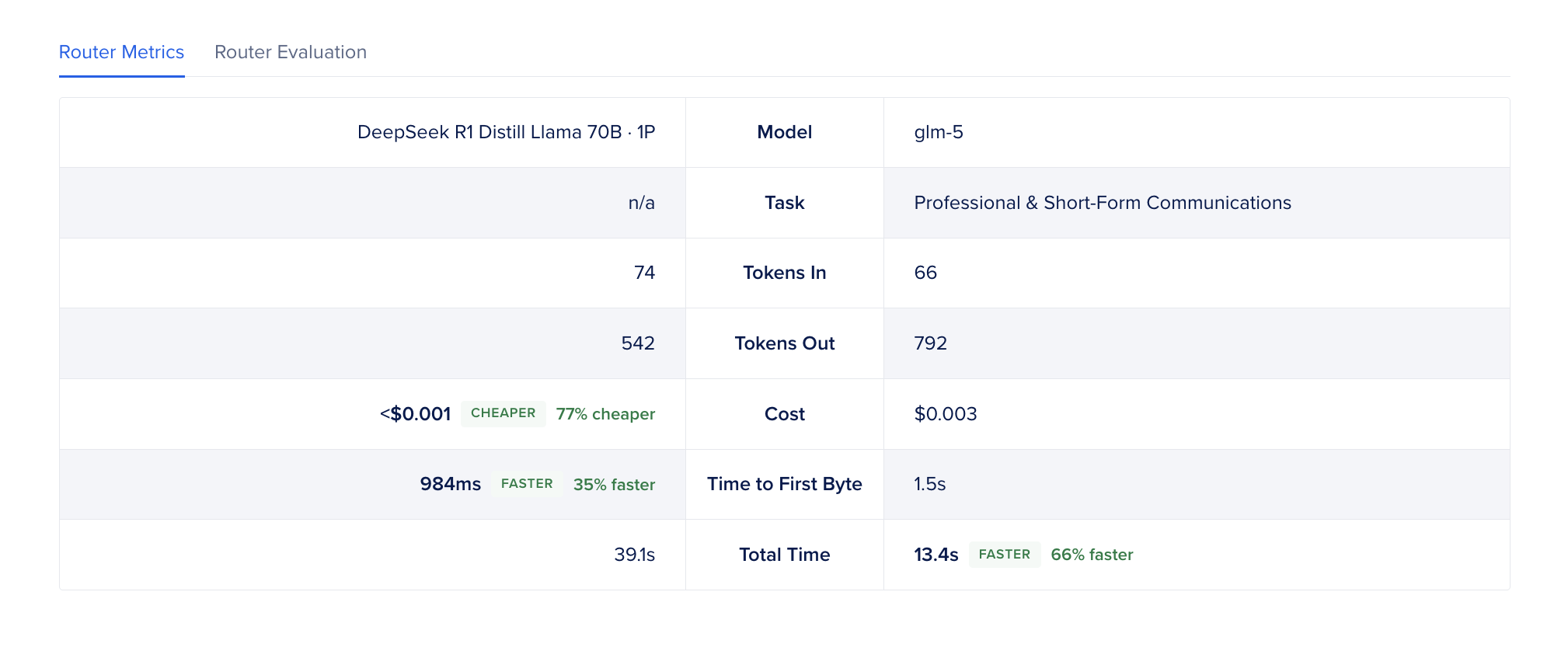 ResponseInfo — task matched, model used, cost, latency, tokens, fallback status
Analyze
Analyze closes the feedback loop after launch. The charts show request volume, latency distribution, task and model match rates, and fallback frequency. The log table is filterable by router and time range and shows per-request detail: matched task, model, latency, and whether it fell back.
Those two views answer different questions. The charts tell you if the router is behaving as expected in aggregate. The logs tell you which specific request went sideways.
The hardest design decision was figuring out what not to show. Routing generates a lot of observability data, but what operators actually need post-launch is pretty specific: are task policies matching as configured, is the fallback rate reasonable, and is latency in an acceptable range. Everything else is noise until something breaks. I kept the first version tight around those three.
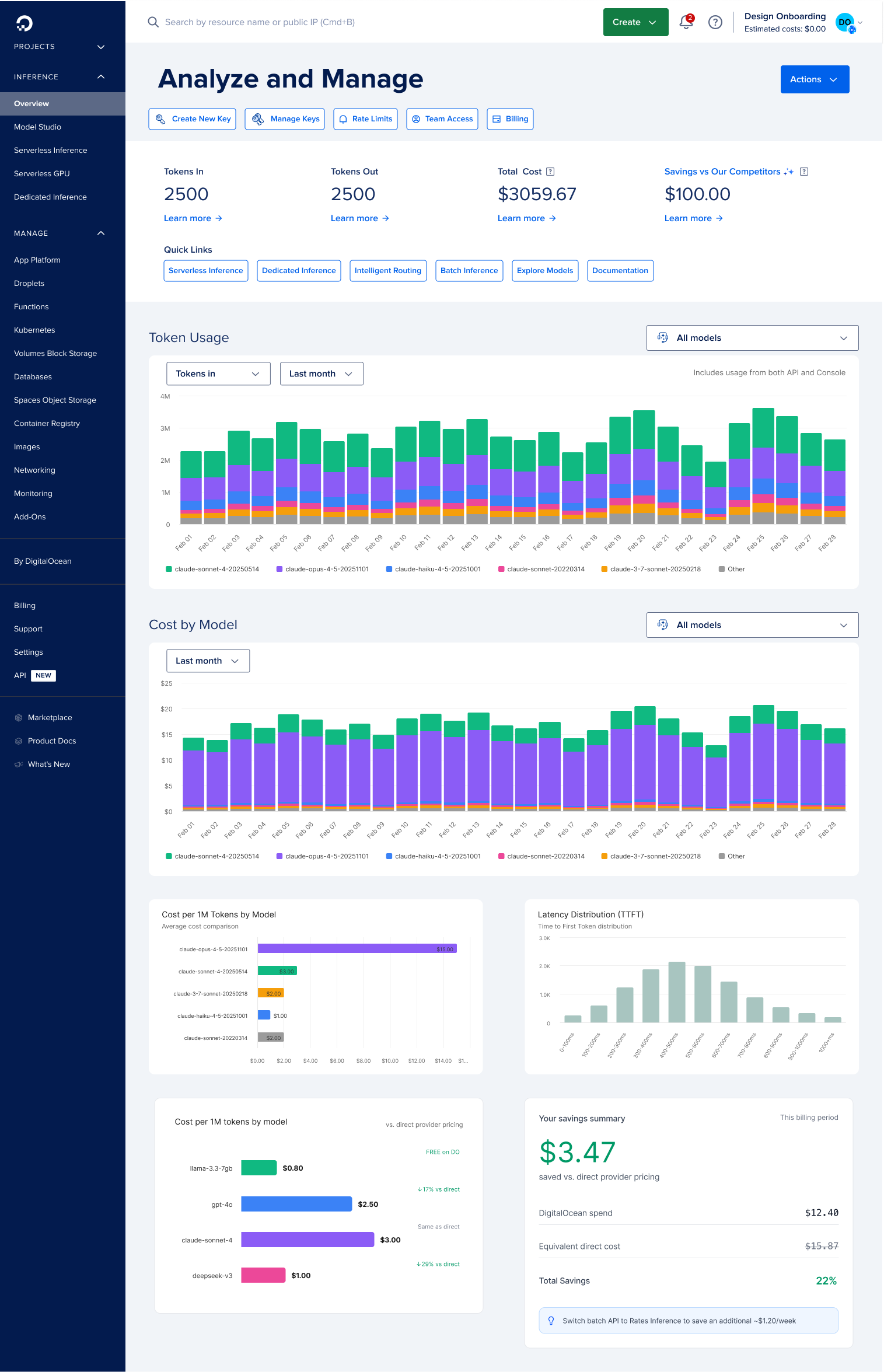 Earlier iteration — Analyze and Manage explored as a combined view before the tab structure was finalized
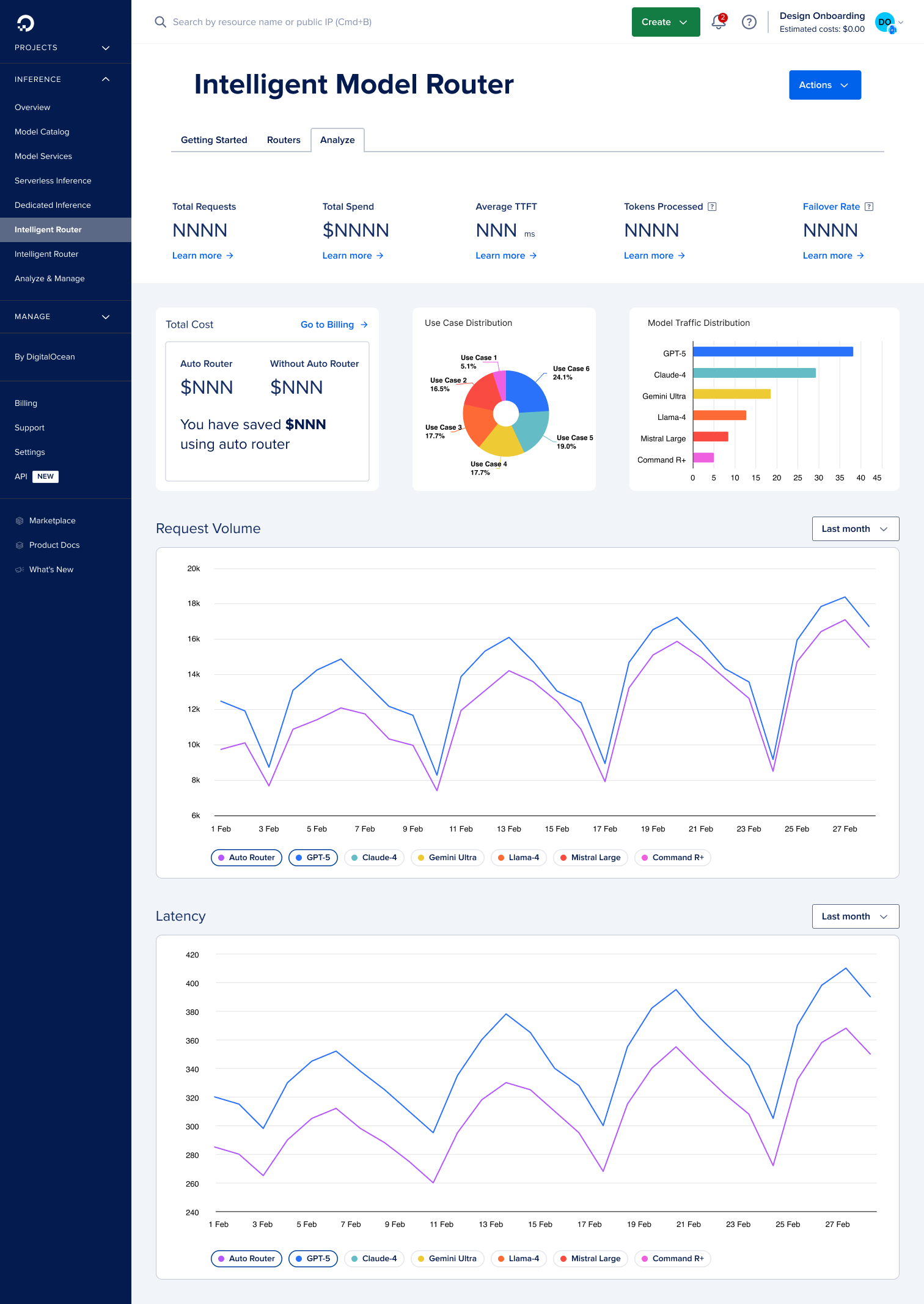 Analyze — request volume, latency, and task/model distribution
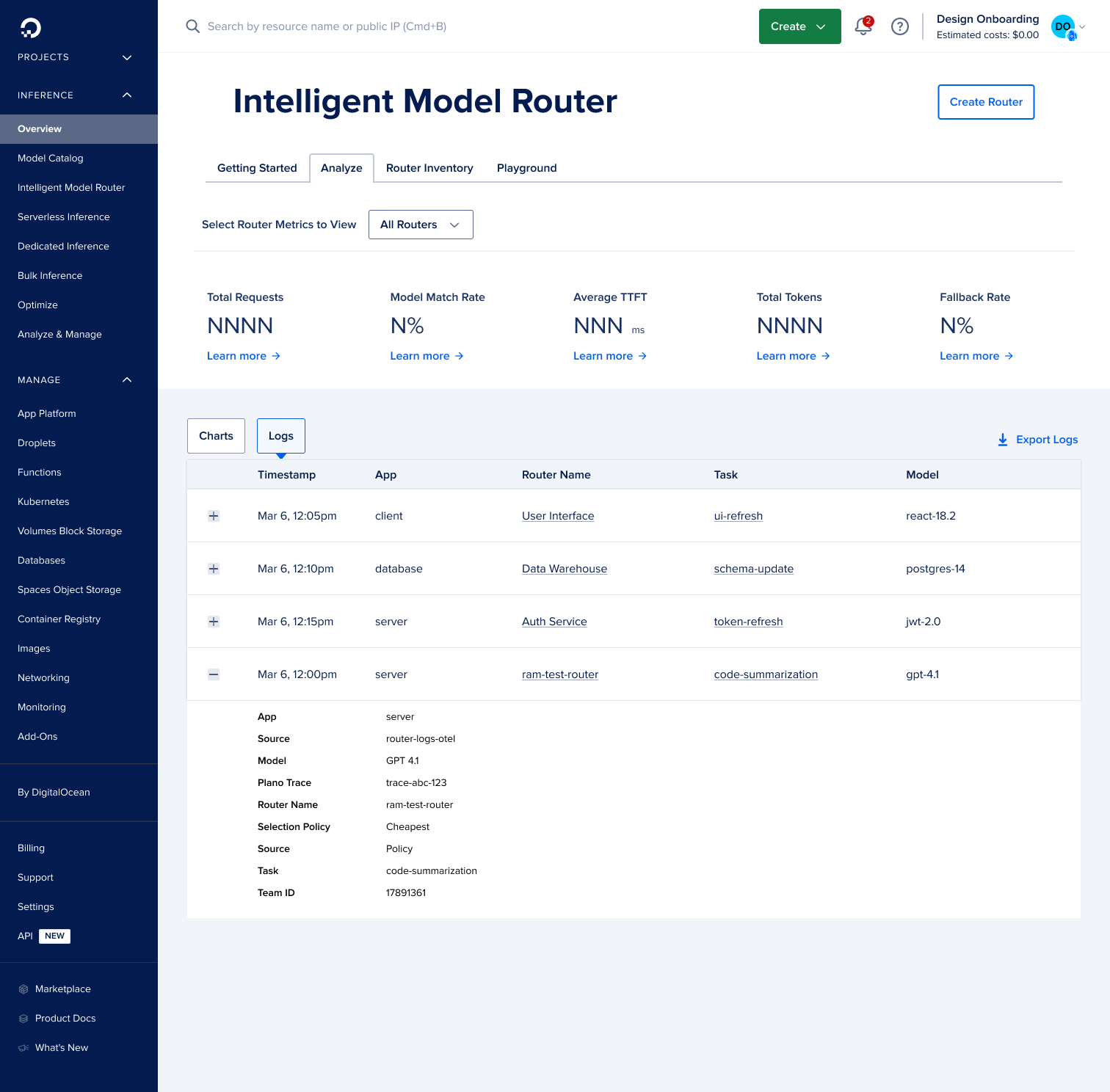 Router logs — filterable by router and time range, with per-request routing detail
Design and implementation proceeded in tight loops across February–April 2026.
| Phase | Focus | Outcome |
|---|---|---|
| Feb 2026 - Foundation | Four-tab IA, Getting Started hero, catalog cards | Users can discover preset routers and understand Public Preview scope |
| Feb–Mar 2026 - Naming & trust | Rename default to preset routers; benchmark copy | Reduces confusion with platform "defaults"; reinforces evaluation story |
| Mar 2026 - Playground | Dual-pane comparison, selectors, ResponseInfo | Developers see task match and economic delta vs. single model |
| Mar 2026 - Create flow | Add Preset Task modal, policies, 5-model cap | Configuration matches backend capabilities without overwhelm |
| Apr 2026 - Writing path | Sample prompt bubbles for Writing Preset | Faster time-to-first meaningful comparison |
| Apr 2026 - Polish | Hero media, CTA targets, cost decimals | Getting Started ready for keynote; trustworthy comparison numbers |
| Apr 2026 - Reuse | Tool Catalog Playground fork in ui-gen-ai | Proves router playground patterns generalize to tool-calling |
Deploy 2026 keynote
The Inference Router was the headline feature of DigitalOcean's Deploy 2026 keynote, demoed live on stage as the defining capability of the Inference Hub Public Preview. The live demo followed exactly the Getting Started to Playground path, showing a preset router comparison before the audience had time to wonder what routing meant. That wasn't luck. It was the IA working as intended.
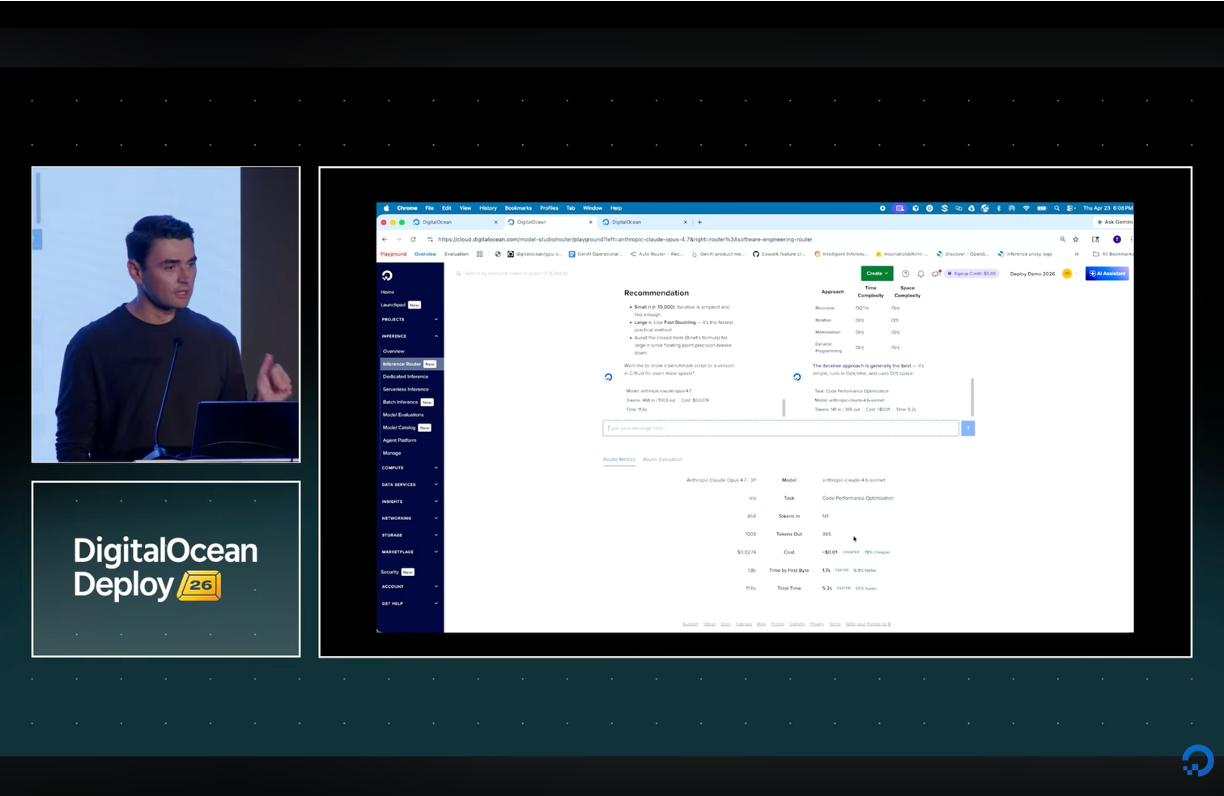 Deploy 2026 keynote — Inference Router demoed live as the headline feature of Inference Hub's Public Preview
Pattern leverage
The Playground comparison shell, ResponseInfo strip, selector grouping, and cost formatting were forked into the Gen AI Tool Catalog Playground, giving agent-platform builders a familiar evaluation surface and reducing duplicate UX work across Inference Hub and the Agent Platform.
The hardest design problem on this project wasn't any single screen. It was making an invisible process visible. Routing happens in milliseconds in a backend system. If the UI doesn't show users what happened and why, it might as well not be there. ResponseInfo and the comparison tabs aren't ornaments. They're what makes routing legible.
Naming mattered more than I expected. "Default router" implied immutability and lack of rigor. "Preset" communicated curation and starting point without suggesting lock-in. That single rename aligned the UI, docs, and marketing around one consistent term, a small decision with a disproportionate effect on how the product was understood.
Two things I'd underestimate on another project: cost formatting and docs integration. Sub-cent precision is a UX requirement. At two decimals, routing looks free when it isn't, which breaks cost-led evaluations. Iframe slideouts anchored to real documentation sections are slower to build but meaningfully better than a Learn More link that goes nowhere useful.
I'd also prototype in production code earlier. Layout issues in the dual-pane Playground (height constraints, hover clipping, tab style conflicts) only showed up under real component CSS. Figma alone would have missed them.